Personal finance · iPhone
Done. Just like that.
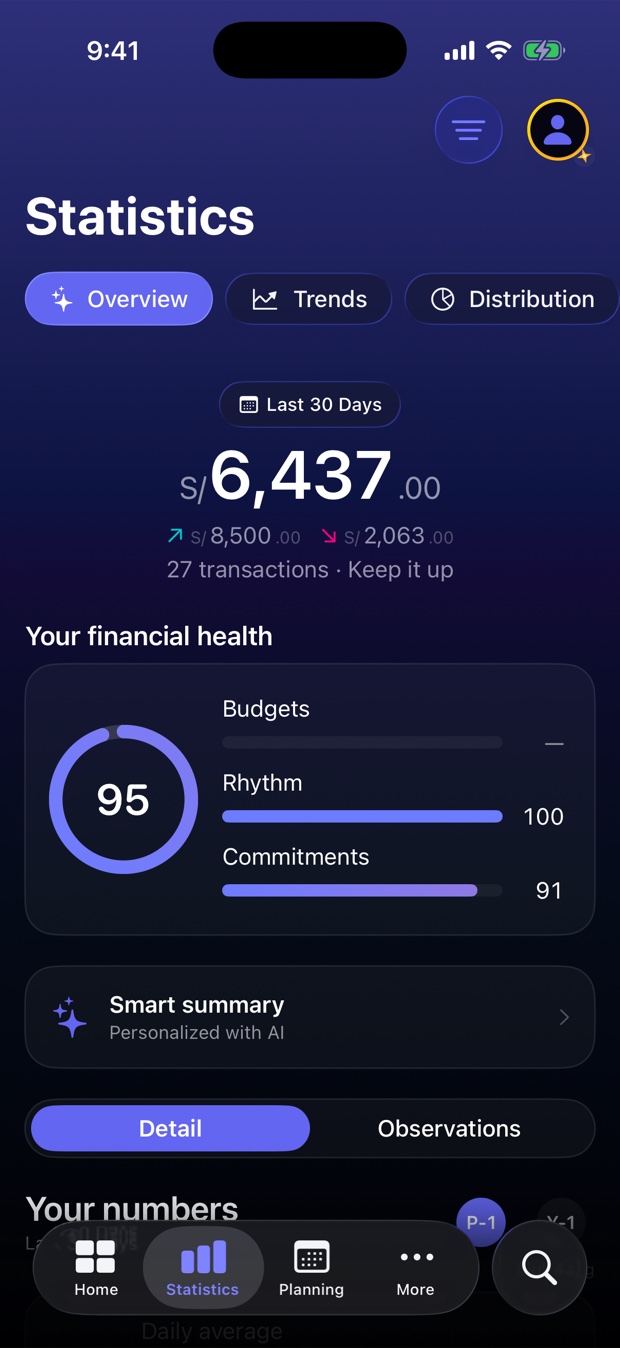
Yala is the app for logging expenses in the time it takes to get your change. Two taps, and at the end of the month it tells you how you're doing, in one number.
That's how Yala AI reads it — the Pro feature. By hand, it's two taps.
Free. No account if you use your iCloud. Doesn't connect to your bank.
iPhone only, iOS 26 or later.
Log it
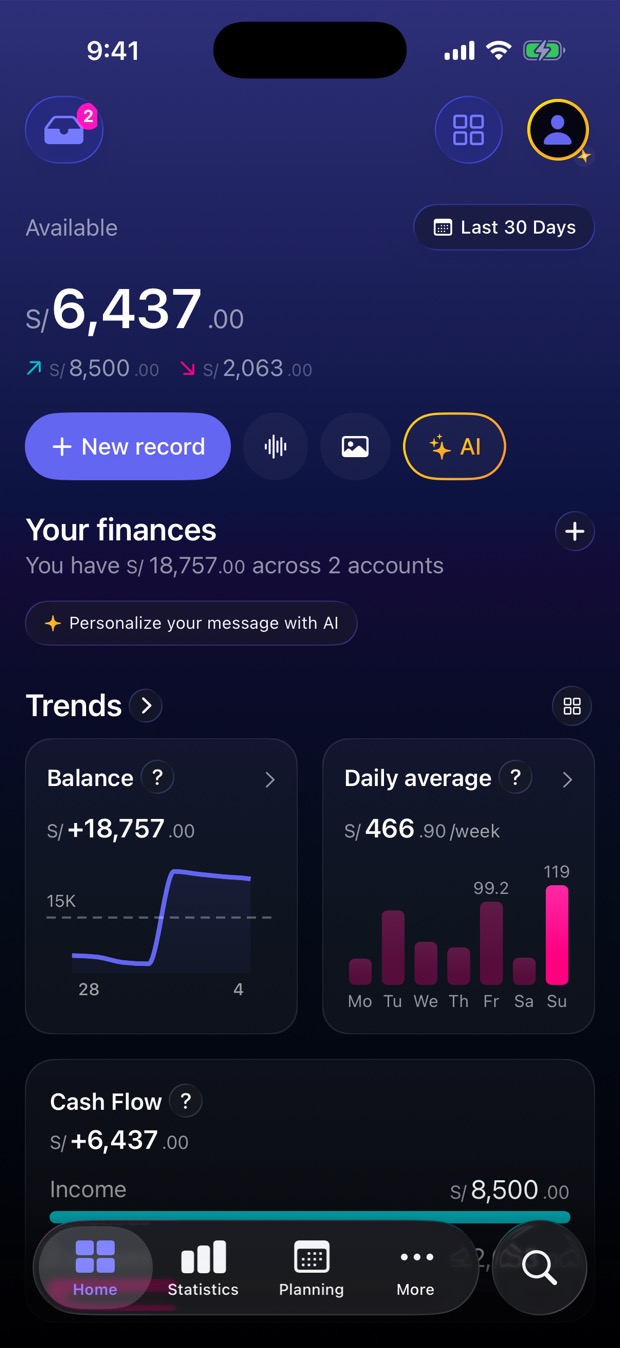
Three ways to log an expense. None takes more than ten seconds.
Type it
Type what it was and how much. With @account, !category and #tag it is done without leaving the keyboard. Also from a Siri Shortcut.
Share a screenshot PRO
A payment receipt, or a screenshot of your bank statement with several transactions: share it to Yala from the share sheet and it reads them all at once.
Say it or snap the receipt PRO
"Spent 50 at the supermarket." Or point the camera at the receipt. You confirm.
Got history? Import your bank's Excel or CSV.
Understand
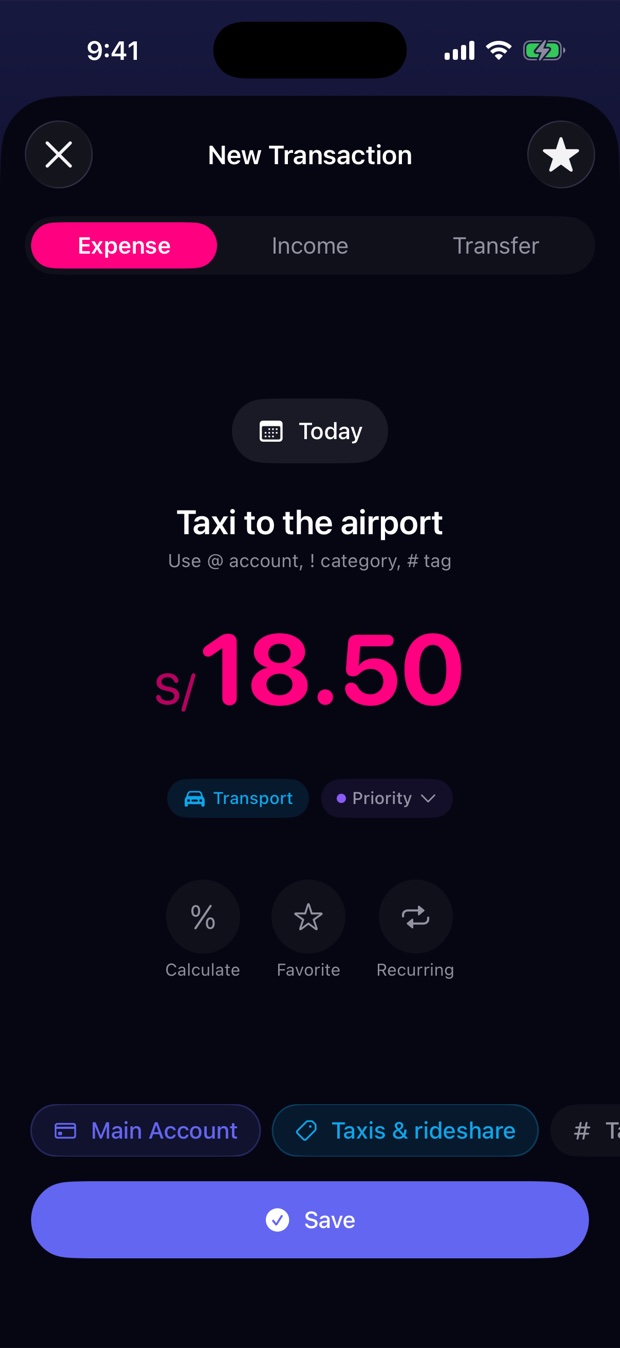
At month's end, one number.
Your financial health as one figure — budgets, pace and commitments — how you compare with last month, and which budget is slipping.
- 95
- Financial health, out of 100
- S/ 66.55
- average spending per day
- 27
- transactions in 30 days
Figures from the sample screenshot, not user averages.
Ask PRO
Ask Yala AI how you're doing.
An assistant that knows your numbers and answers in plain language. Ask it, and it logs the expense for you.
It only works if you turn it on, and we tell you what it shares first. More in Privacy.
How is my spending this month?
Over the last 30 days you have spent S/ 2,063, an average of S/ 66.55 a day. Most of it goes to Food (S/ 1,175, 56%). Your biggest expense was S/ 192 at Mercado. Want the breakdown by category?
Log 24 dollars for pizza with friends
Done: $24.00 · Restaurants · Cash.
Share
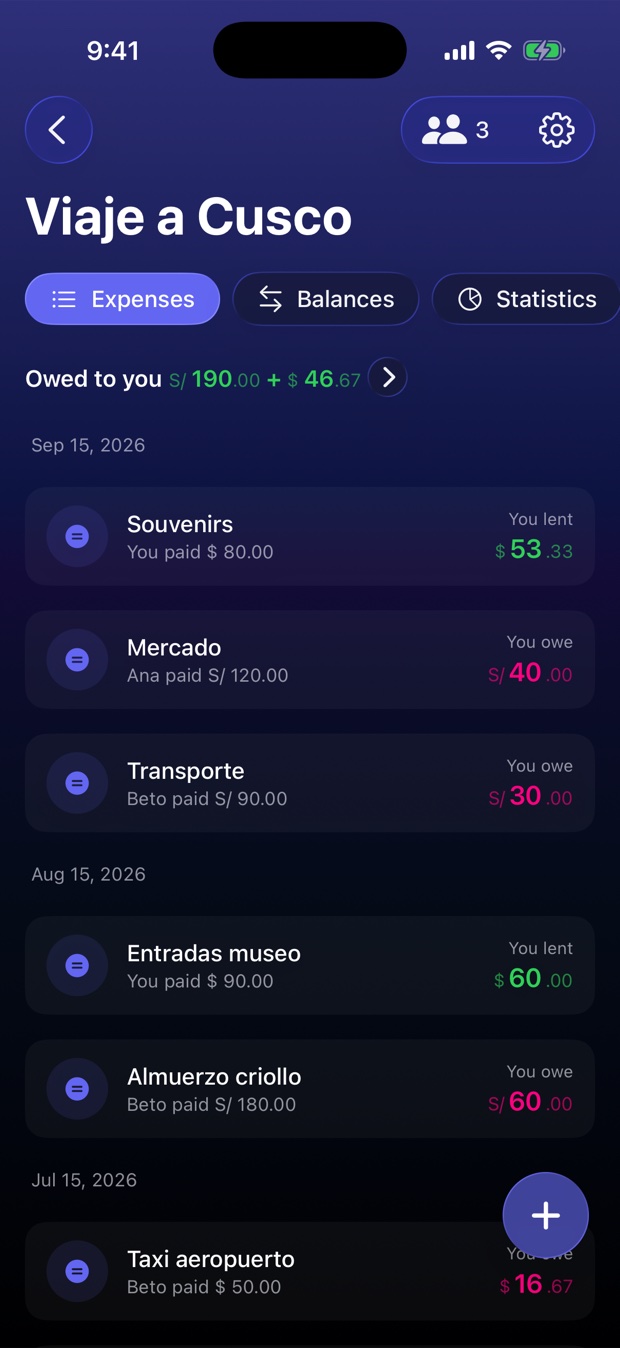
Who owes whom? Yala knows.
The trip, the flat, the dinner. Log as usual; Yala splits, simplifies the debts and tells you who to pay.
- Beto owes AnaS/ 30.00
- Ana owes youS/ 80.00
- Beto owes youS/ 110.00
A real example from the app: Yala simplifies the group's debts. Only members see the amounts.
Privacy
Three sentences, no fine print.
You choose where your data lives: on your iPhone and your iCloud, with no Yala account, or in your cloud account, with Apple or Google.
We never connect to your bank. You import, when you want, from a file.
Something leaves your phone if you choose the cloud or use Groups, if you turn on Yala AI, voice or photo — we tell you first — for exchange rates, and for minimal analytics without your data. Privacy.
Why Yala exists
"Yala" comes from the Peruvian "ya la hice" — "done, just like that". Finance apps existed, but I didn't use them: logging was a chore. I wanted one that fit in the time it takes to get your change. I built it for myself, in Lima, and it turned out more people wanted it.
On the App Store since March 2026
Plans
Start free. Go Pro if you need it.
Yala Free
$04 accounts · manual logging and Siri Shortcuts · budgets with alerts · planned payments · widgets · more than 50 currencies · CSV/Excel import and export.
Yala Pro
$2.99 /moor $29.99/year
Everything in Free, plus: unlimited accounts and budgets · screenshots, photo and voice · Yala AI · advanced reports · new features first.
1 month free trial. If you leave Pro you keep all your data; only the Pro features switch off.
Common questions
- What about card and mobile payments?
- Log them the same way — "35 for the taxi" — or share the receipt or a screenshot of your statement (Pro) and Yala reads the transactions. For history, import your bank's Excel or CSV. We never ask for your credentials.
- iPhone only?
- Yes, for now: iPhone with iOS 26 or later.
- Does it work offline?
- Yes. Logging, budgets, charts and widgets work offline. Internet is only for syncing (iCloud or your cloud account), Groups, exchange rates and Yala AI.
- What if I change phones?
- With your private iCloud it syncs on its own: set up the new iPhone with the same iCloud account and everything is there. With your cloud account, sign in with the same Apple or Google account and your data comes back.
- Can I take my data with me?
- Any time, as CSV or Excel, from the app. It's yours.
- What if I stop paying for Pro?
- You lose nothing: your data stays and only the Pro features switch off.
Done. Just like that.
Free. No account if you use your iCloud. Doesn't connect to your bank.